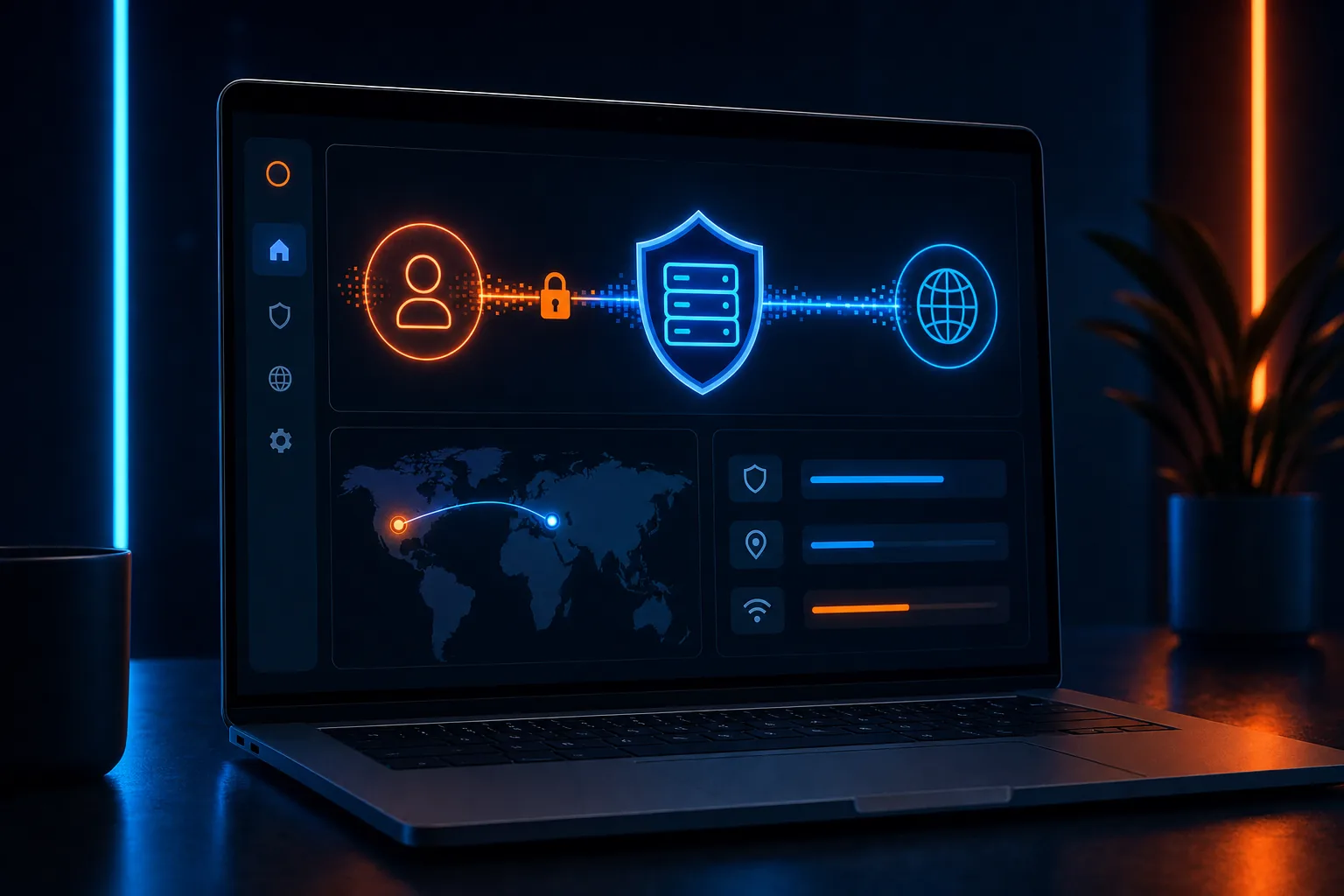
Picking a server in another country used to feel like a party trick. Now it is how millions of people watch a hometown game while traveling, catch a show that has not landed in the US yet, or just keep their bank login private on hotel Wi-Fi. A global VPN access setup lets you choose a server location, route your traffic through it securely, and reach the streaming library or blackout-free game feed tied to that location, all while keeping your connection encrypted on networks you don't control. The tradeoff is real: pick a server far from home and you may notice slower load times, while a nearby one usually keeps speeds closer to normal. Sports fans dealing with blackouts, travelers who want their usual apps to work abroad, and privacy-conscious users on airport Wi-Fi all lean on the same basic idea, just for different reasons. Getting it right means understanding what a consumer VPN actually changes about your connection, and what it doesn't. Key Takeaways Choosing the right server location is the main lever for unlocking streaming libraries and dodging sports blackouts. Speed and distance are connected, so nearby servers usually perform better than ones on the other side of the world. Consumer VPN apps and employer-managed tools like GlobalProtect solve different problems and are not interchangeable. What Global VPN Access Means and How It Works Global VPN access means connecting to a server in another location so your internet traffic appears to originate there, giving you a different regional identity online. For everyday users, this is what makes a streaming catalog from another country or an out-of-market sports feed reachable. It's worth separating this from a different kind of “global VPN access” you may have heard of at work. Businesses use tools like GlobalProtect VPN from Palo Alto Networks to let employees securely reach internal company systems from anywhere. That setup involves a GlobalProtect portal, a GlobalProtect gateway, and a GlobalProtect agent or GlobalProtect app installed on a work laptop, often tied to Prisma Access for added coverage across a company's network, according to the official GlobalProtect documentation. Corporate GlobalProtect setups typically use single sign-on (SSO) through SAML, client certificates, and a Host Information Profile (HIP) check to confirm a device meets security standards before granting remote access. Some organizations use “on-demand” connection rules so the VPN connects automatically when a device isn't on the office network. These features matter for IT teams managing Windows, macOS, and PC endpoints across a workforce, and the GlobalProtect app version 6.0 added refinements to how that experience works, based on Palo Alto Networks' app documentation for Windows. None of that applies to a consumer picking a VPN to watch a game or stream a show. A personal VPN app is simpler by design: you open the app, pick a country, and connect. There's no portal login tied to your employer, no security policy pushed down from an IT department. If your workplace requires GlobalProtect for VPN access to internal systems, that's a separate tool from the NordVPN, Surfshark, or ExpressVPN app you'd use for streaming and privacy on your own devices. How Server Locations Affect Streaming, Sports, and Travel Access The server location you pick determines what you can watch, not just how fast the connection feels. Streaming platforms and sports broadcasters license content by region, so a server in the wrong country (or even the wrong part of your own country) can keep you locked out just as effectively as no VPN at all. Routing is the technical piece behind this. Once you connect to a VPN server, your traffic takes a path through that server before reaching the open internet, and most consumer apps use IPsec or similar tunnel protocols to keep that path encrypted. Split tunneling lets you send only some traffic through the VPN, useful if you want to stream through a foreign server while your smart home devices or banking app stay on your regular connection. For streaming abroad, picking a server in your home country is often the move, since it lets you sign into services you already pay for as if you never left, a point echoed in Yahoo's travel advice on safe streaming abroad. For unlocking a specific country's catalog, the server needs to match that country exactly, since Kaspersky's guidance on VPN server selection notes that content availability shifts by location and depends on the provider's no-logs practices too. Not every VPN treats this the same way. Some invest heavily in maintaining working, unblocked servers for streaming, while others don't prioritize it, a distinction VPN users on Reddit have pointed out when comparing real-world results. Vpngenix's guide to bypassing sports blackouts in 2026 tracks which providers currently hold up for this. How to Access Geo-Restricted Content and Avoid Sports Blackouts Connecting to a VPN server outside your local blackout zone is the standard way to watch a game your local broadcast has blocked. MLB, NBA, NFL, NHL, and other leagues restrict certain games by market, and a server in a different city or region can put you outside that restriction. The process is straightforward: Open your VPN app and pick a server location outside the blackout zone, often a different U.S. city for domestic sports. Connect, then load your streaming service or sports app as usual. If the stream stalls or won't load, disconnect and try a different server in the same country, since congestion varies by server. This works because your subscription still governs what you can access. A VPN changes your apparent location, but it does not create a subscription or override a broadcaster's blackout policy, a limit that Yahoo's streaming-abroad guide is careful to spell out. For international events like soccer or F1, a provider with a wide server spread makes a difference, since guides to streaming the FIFA World Cup point out that having servers in over 100 locations gives you more commentary and coverage options to choose from. Vpngenix keeps dedicated walkthroughs for specific leagues and services, including how to bypass MLB.TV blackouts, getting around the YouTube TV NFL blackout, and working around ESPN blackout restrictions. Each sport tends to have its own quirks in how blackout zones are drawn, so checking the specific guide for your league saves time over guessing. Speed, Distance, and Security Tradeoffs to Expect A server closer to your physical location will almost always feel faster than one on the other side of the world. Distance adds latency, and the more hops your traffic takes, the more noticeable the slowdown, especially for 4K streaming or live sports where buffering ruins the moment. VPN speed depends less on brand reputation and more on protocol choice, server distance, and your device's processing power, according to a VPN protocol speed comparison report. Modern protocols like WireGuard tend to outperform older ones on both speed and battery use, which matters if you're streaming on a phone at the airport gate. Security policies set by your VPN provider (not to be confused with the security policy tools inside corporate firewalls) determine how your traffic is encrypted and whether any activity logs are kept. A provider with a clear no-logs stance and independent audits gives you a better privacy baseline than one that's vague about it. Malwarebytes pairs well here for device-level protection against malware, working alongside your VPN's encryption rather than replacing it. Practical rule of thumb: if you don't need a specific country's content, pick the nearest server for the best speed. If you need a specific library or blackout workaround, accept some speed tradeoff for that access. Vpngenix's breakdown of VPN speed performance benchmarks tracks how different providers perform across these scenarios so you're not guessing. How to Choose a VPN With Reliable Global Coverage Look for a provider with servers spread across the specific regions you actually need, not just a high total server count. A large network sounds impressive, but what matters is whether it has working servers in the countries or cities tied to your streaming habits and travel plans. A few factors worth checking before you commit: Server spread More regions covered means more streaming libraries and blackout workarounds reachable No-logs policy Confirms your browsing activity isn't stored or sold Protocol support Modern protocols like WireGuard balance speed and security better Device apps Native apps for Fire TV, Roku-compatible routers, iOS, and Android simplify setup Simultaneous connections Matters for families or multiple devices Jurisdiction plays a role too. A VPN based outside the 14-Eyes intelligence-sharing countries can offer an added layer of legal privacy protection, a point raised in PrivacySavvy's guide to choosing a VPN. ProtonVPN, for instance, is headquartered in Switzerland, outside that alliance. For travelers specifically, checking device compatibility ahead of a trip avoids scrambling for a fix from a hotel room. Vpngenix's guide to VPNs for international travel and its tips for evaluating a VPN both walk through this in more depth. If you're new to VPNs generally, the guide to VPN for beginners covers the basics without the jargon. Remote workers and small business owners have a related but distinct set of needs, since a personal streaming VPN and a tool built for securing a distributed team don't solve the same problem. Vpngenix's guidance on choosing a VPN for remote workers and VPN options for small business security breaks down what changes when the goal shifts from personal streaming to protecting a whole team's connections. Making Global Access Simple, Fast, and Secure Getting global VPN access right comes down to matching your VPN setup to what you actually need that day: a nearby server for speed, a specific country for content, or a secure tunnel for public Wi-Fi. Most consumer apps make this a one-tap decision once configured properly. Behind the scenes, your device connects through something like a virtual router, and the VPN assigns your device an address from its IP pool for that session. You don't need to manage any of this directly. The app handles it, which is a big part of why consumer VPNs feel simple compared to enterprise tools. A few habits make the experience smoother: Test your VPN app and sign into your streaming accounts before you travel, not after you land. Keep a backup server location saved for when your first choice gets congested. Turn on the VPN automatically for unfamiliar Wi-Fi networks if your app supports it. Pair your VPN with device security like Malwarebytes for a fuller layer of protection against malicious sites. Vpngenix runs automated comparisons and setup walkthroughs across NordVPN, Surfshark, ExpressVPN, CyberGhost, Private Internet Access, and ProtonVPN, keeping recommendations current as server networks and pricing change. The guide to using a VPN safely and tips for picking a VPN without overpaying are good starting points if you're setting things up for the first time. You can also browse current VPN guides on Vpngenix for device-specific instructions. Frequently Asked Questions Can a VPN guarantee I'll never hit a sports blackout again? No VPN can promise that every blackout will disappear, since broadcasters control blackout rules and can change them anytime. Connecting to a server outside the restricted zone works in most common cases, but leagues do adjust their policies from season to season. Is GlobalProtect the same thing as a consumer VPN like NordVPN or Surfshark? No, GlobalProtect is an enterprise remote access tool from Palo Alto Networks built for employees connecting to a company network. Consumer VPNs like NordVPN or Surfshark are built for personal streaming, privacy, and public Wi-Fi protection, and the two aren't interchangeable. Why does my VPN feel slower when I connect to a far-away server? Distance adds latency because your data has to travel farther to reach the server and back. A server in a nearby country usually keeps speeds closer to your normal connection than one on another continent. Do I need a different VPN server for every streaming service? Not for every service, but the server needs to match the country whose catalog you want. A U.S. server unlocks your home Netflix library, while a U.K. server unlocks British content, for example. Does a VPN protect me on public Wi-Fi at airports and hotels? Yes, a VPN encrypts your connection between your device and the VPN server, which shields your activity from others on the same network. It won't protect against every risk, so keeping your devices updated and avoiding suspicious networks still matters. Will using a VPN slow down live sports streaming? It can, especially with a distant server or a congested one, but a nearby or well-optimized server usually keeps buffering to a minimum. Testing a couple of server options before kickoff helps you find the fastest one available that day. Related Posts Best Proxy for iOS in 2025: Safe or Risky? How to Stop VPN Leaks and Keep Data Private MLB Blackout Map & Rules Explained Malware Removal That Protects Your Devices How to Hide Your IP Address Safely Which HDMI Port Is Best for Gaming? 2026 Guide 10 Best Online Privacy Tools in 2026 for Real Protection 3 Tips To Access Your Favorite Content Anywhere in the World Written by VPNGENIX Expert contributor at VPNGENIX, dedicated to providing clear, actionable insights into digital privacy and cybersecurity solutions. View Profile Continue Reading Related Articles View All Articles